I've added custom themes to my favorite macOS apps to make them look more “mine”.
I created all the themes with Claude Code.
Monitors and desktops
I usually use an external monitor next to my iMac. I also use virtual desktops to organize my apps.
On the left is my external monitor with four virtual desktops. On the right is my iMac with two virtual desktops.
Virtual desktop 1, iMac monitor
Marta
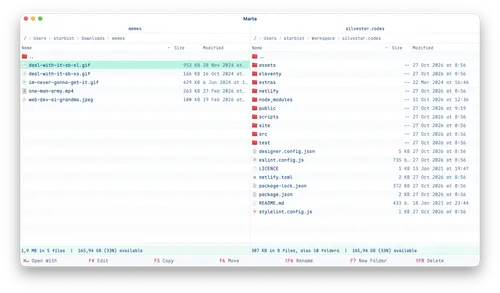
Marta is a file manager for macOS. It is fast and easy to use and I prefer it to Finder.
Here's how my Marta looks today with my custom Marta theme.
iTerm
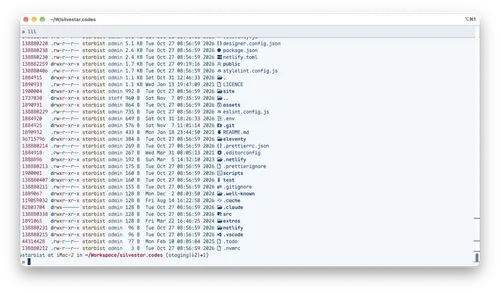
Next to Marta, I have the iTerm2 app open. It's been my go-to terminal choice for ages.
Here's how my iTerm2 looks today with my custom iTerm2 theme.
Virtual desktop 2, iMac monitor
Brave
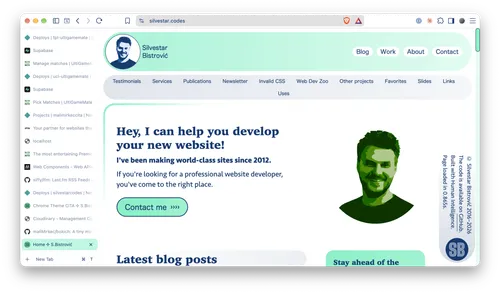
My default browser is Brave. It's what I use when developing web-based projects.
Here's how my Brave looks today with my custom Brave theme.
Virtual desktop 3, external monitor
Crest
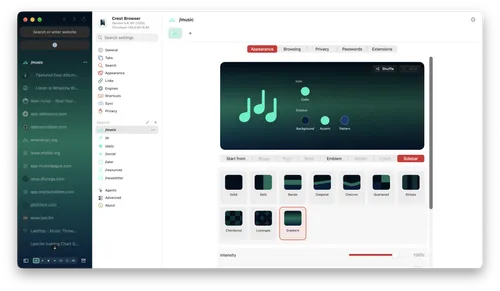
I recently switched to the Crest browser because Arc will be discontinued soon. I use Crest for my emails, slack, social accounts, newsletter bookmarks, and more.
Here's how my Crest looks today with my custom Crest theme.
Virtual desktop 4, external monitor
Herdr
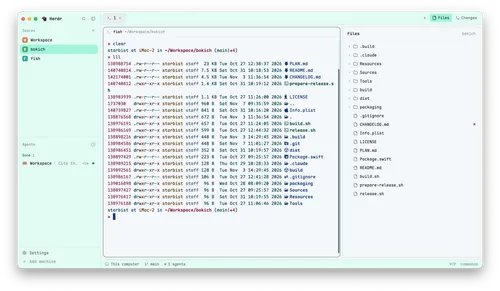
I'm using Herdr to run my coding agents in one place.
Here's how my Herdr looks today with my custom Herdr theme.
Virtual desktop 5, external monitor
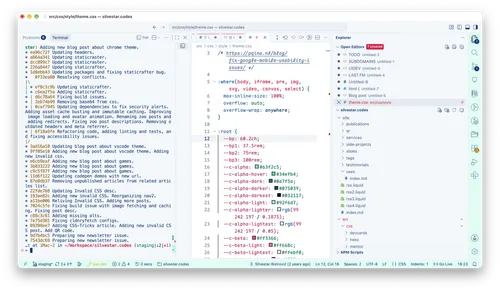
I'm sticking with VS Code Insiders as my default code editor.
Here's how my VS Code Insiders looks today with my custom VS Code Insiders theme.
Virtual desktop 6, external monitor
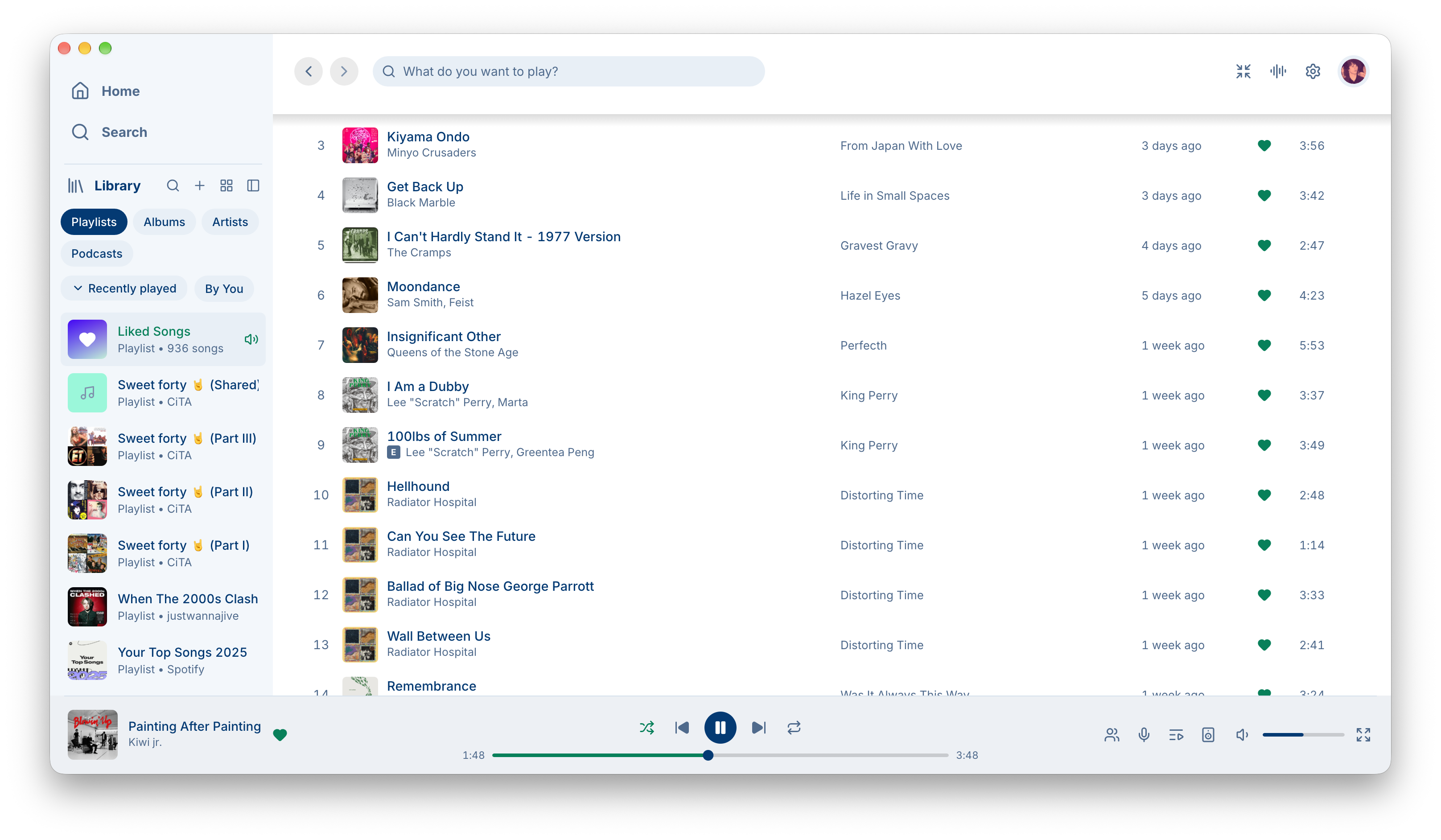
Spotifast
Here's how my Spotifast looks today with my custom Spotifast theme.
All these beautiful themes really make me happy when using my computer.
I had always wanted to do this, but never had the time. Nowadays, with Claude Code as my code assistant, it only took a single day.
By the way, I use other apps as well, and you can check them all on my setup page.